Felt is a strong cloud GIS tool. It offers fluid browser-based editing, comprehensive styling, and for teams that want to do GIS work in the browser, it’s a good solution.
Embedding the result on a website is where sometimes it might get problematic. Felt does support embeds, but at the time of writing, embeds are only offered on the Enterprise plan. That puts them behind a sales call rather than a simple snippet copy-paste.
Felt’s Team plan also has a 10,000 map view per month limit, which is fine for some embedded maps and a constraint for others.
Here are the alternatives that come up most often, and what each is actually good for.
1. Mapbox, MapLibre, and Leaflet
These are not products in the same sense as Felt. They are libraries for building custom maps. If you have a developer and the map is part of a website or product, you control everything, and the map is exactly what you want it to be.
The tradeoff is that every change is dev work. The GIS person can’t update it alone, and hosting, data formats, tile sources, and frontend code all become things someone has to maintain.
Good fit when:
- the map is part of a larger product
- you need full control over the UI
- you have someone who can maintain the code
Not great when:
- the data changes often
- the map lives on a marketing page
- a non-developer needs to update it
MapLibre is the open-source fork that tracks Mapbox closely without the pricing model, and Leaflet is older, simpler, and good for less ambitious maps.
2. uMap
uMap is open source, free, and built on OpenStreetMap. You can self-host it or use the public instance, with an iframe embed.
It works well for community maps, public-facing simple maps, and anything where the audience just needs to see a few layers on a slippy map.
It is not meant for client delivery polish though. If the map is part of a product page or a report and the styling has to look professional, uMap will feel rough.
3. Google My Maps
The fastest way to embed a map: make it in Google Drive, click share, paste the iframe.
It is also the most limited. Styling is shallow, GIS format support is minimal, and you can’t refresh from a data source.
If the map is genuinely casual, Google My Maps is fine, but the moment anyone asks for a richer style, a custom popup, or a scheduled update, you’ll outgrow it pretty quickly.
4. qgis2web
qgis2web is a QGIS plugin that exports your project to static HTML, JS, and CSS, which you then host yourself. For a one-time map that will not change, this is a real option, and the export is yours so you are not stuck with a subscription to another SaaS.
The upside is pretty clear:
- it starts from QGIS
- you own the exported files
- there is no platform subscription
- it works well for one-off maps
The downside is everything else: hosting, updates, and the fact that every data change is a manual re-export and re-upload.
If the data changes often, that gets old, fast. Take it from someone that has been there.
5. CARTO
CARTO is a location intelligence platform. It supports embedding, but the product is built around spatial analytics, warehouse connections, and dashboards, with the embed being one feature among many.
If your team is already on CARTO for analytics, embedding a map from there is reasonable.
If the only thing you need is an embedded map, CARTO is a much bigger tool than the job.
6. ArcGIS Online
AGOL has embed options, including dashboards and StoryMaps. The styling can look professional, the formats are well supported, and if the team is already on Esri, the workflow is familiar.
The reasons people end up looking elsewhere are usually the same: licensing complexity, viewer accounts, and the editor seat cost relative to a simple embed use case.
None of that is a problem with the embed feature itself, it is a question of whether the broader platform fits.
7. Datawrapper
Datawrapper is mostly a charting tool, but it has decent locator maps and choropleths with embeddable output, and newsrooms use it heavily.
For thematic maps with a small set of features, the embed is clean and fast.
For real GIS data with many layers, custom tooltips, filters, diverse data format support, or scheduled data updates, it stops fitting.
8. Topologis
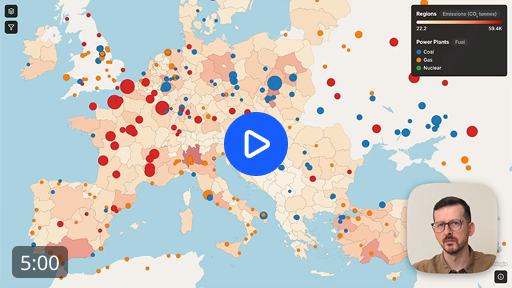
Topologis is built around sharing and embedding maps. Import prepared geodata, configure layers, styles, tooltips, and filters, then publish a view as a share link or paste a snippet on your website to embed it.
Embeds are included in the standard plan rather than gated behind enterprise pricing, and viewers don’t need accounts.
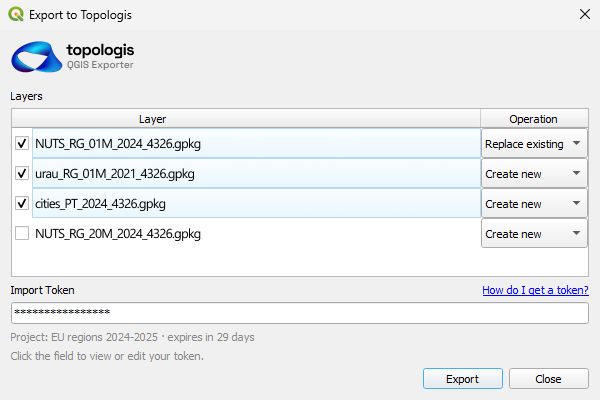
If your work starts in QGIS, there is a QGIS Topologis plugin that pushes layers straight into a project. New layers or overwrites, no re-export step.
It fits when the GIS work is already done somewhere else and the job is to get a clean interactive map onto a website. Or when the data updates often.
It does not replace QGIS, ArcGIS Pro, or PostGIS for analysis.
Comparison table
| Tool | Best for | Watch out for |
|---|---|---|
| Mapbox / MapLibre / Leaflet | Bespoke maps inside a product | Dev maintenance |
| uMap | Public OSM-based maps | Limited polish |
| Google My Maps | Quick casual maps | Shallow features |
| qgis2web | One-off static maps | Manual updates |
| CARTO | Teams already on CARTO | Heavy for a simple embed |
| ArcGIS Online | Teams already on Esri | Licensing and seats |
| Datawrapper | Thematic locator maps | Not real GIS |
| Topologis | Embedding prepared GIS data | Not a GIS analysis suite |
Why we built Topologis
Most of the embed pain we kept hearing about was not about the map itself, it was about the path to getting it on a website.
The embed had to look right next to the rest of the page. The viewer should not need to log in, the team should be able to update the data without redeploying anything and the pricing needs to be reasonable.
That ended up shaping a few specific decisions. Embeds are part of the standard plan, not an enterprise upsell, and the price stays tied to editors instead of traffic. Viewers open the map without an account. Data refreshes on a schedule from Google Sheets or URL sources, so updates don’t require touching the website. And one project can produce several views, so the public embed on a marketing page can be a different cut of the same data than the one a client gets.
None of that makes Topologis the right tool for every map. If you need analysis, raster, dashboards, comments, or a full enterprise stack, Felt or AGOL will serve you better.
Conclusion
The right Felt alternative depends on what job you actually need done.
If you need a full GIS workspace in the browser, Felt may still be the right answer. If you need custom code, MapLibre or Leaflet make sense. If you need a quick and simple map, Google My Maps or uMap might be enough.
But if the GIS work is already done and the job is to publish a clean, interactive map on a website, that is what Topologis is built for.

Nikolay Dyankov, Founder